Carrier users log in to Orbit Cockpit and Orbit Connect with an email address or a phone number, with a password or a code by SMS. Includes the countries that receive codes.
Carrier users, drivers included, log in to Orbit Cockpit and Orbit Connect with their email address or their phone number. Drivers with a mobile number can skip the password and log in with a code sent to their phone by SMS, so nobody has to remember a password or set up an email address for them.
The login field in Orbit Cockpit and Orbit Connect is called Email or Phone Number and takes either. A phone number works in international format (+49 151 …) and, for German numbers, in national format (0151 …).
A phone number on a CarrierUser is contact data first. Logging in with it is a separate right that only one user holds at a time:
When you create an active user or give them a new number, they get the login for that number automatically, provided nobody else holds it.
If another user already logs in with the number, the new user keeps it as contact data only and logs in with their email address. Orbit MissionControl tells you so when you create the user.
A user without an email address has no other way to log in. For them, Orbit MissionControl refuses a number another user already logs in with, and refuses removing their number.
Deactivating a user or changing their number releases the login. It is never moved to another user with the same number on its own: to move it, disable it on one user and enable it on the other.
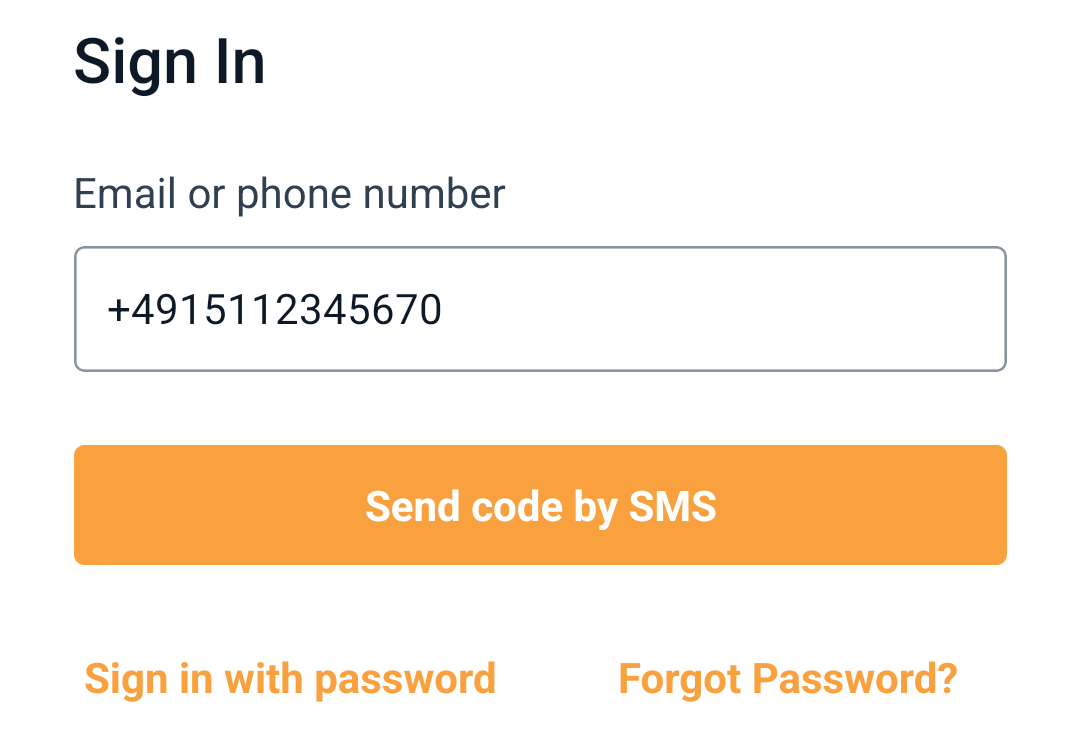
In Orbit Cockpit, type the phone number into Email or phone number. The screen offers Send code by SMS. To use a password instead, select Sign in with password.
Request the code
Select Send code by SMS. The code arrives on the phone by SMS.
Confirm the code
Type the code and select Confirm. The keyboard can offer the code from the SMS to fill in with one tap.
In Orbit Connect, enter the phone number and leave the password empty, then select Sign in: the form says Leave the password empty to get a code by SMS.
Orbit Cockpit offers a code by SMS for a mobile number.
A code works once and expires after a short time; request a new one from the sign-in screen. To protect drivers from unwanted messages, one number receives at most 5 codes in 15 minutes and 20 codes a day.
Select Forgot Password? on the sign-in screen. The reset code goes to the user's email address. A user without an email address gets the code by SMS instead, if their number receives codes. If neither works, the app asks the driver to contact their dispatcher, who sets a new password in Orbit MissionControl with Set New Password.
Nordlicht Spedition hires Mohammad, a driver without an email address. The dispatcher creates him in Orbit MissionControl with his mobile number +49 151 … and a password, and his page shows Login Active. On his first morning, Mohammad types his number into Orbit Cockpit, selects Send code by SMS and logs in with the code from the SMS. His colleague Julia has a landline number from the depot: her page shows Password Only, so she logs in with the password the dispatcher gave her.
Can a user log in with both an email address and a phone number?
Yes. A user with an email address and a phone number that nobody else logs in with can use either. If another user already logs in with the number, this user logs in with the email address. To move the phone login, disable it on the other user and enable it on this one.
Why does a driver get no code by SMS?
The number may be a landline or from a country outside the list above; the driver's page then shows Password Only. A number that has already received 5 codes in 15 minutes or 20 in a day gets no further code until the limit resets. The driver can always log in with their password.
Can two drivers share one phone number?
Yes, as contact data. Only one of them can log in with it; the other logs in with an email address.
Does the code work on iPhones?
Yes. The keyboard offers the code from the SMS, and the driver confirms it.